Kit MarketplaceSign in with GitHub

Bug IDs

Reviewed

Gives each new row an ID like BUG-12, one more than the highest there.

by Kit · ships with KitVersion 1.0.0Runs inside Kit, in a sandbox
Add to Kit
  1. In Kit, open Plugins, then Add another way › A code plugin’s link or file.
  2. Paste this link. Kit shows what it may do before anything changes.
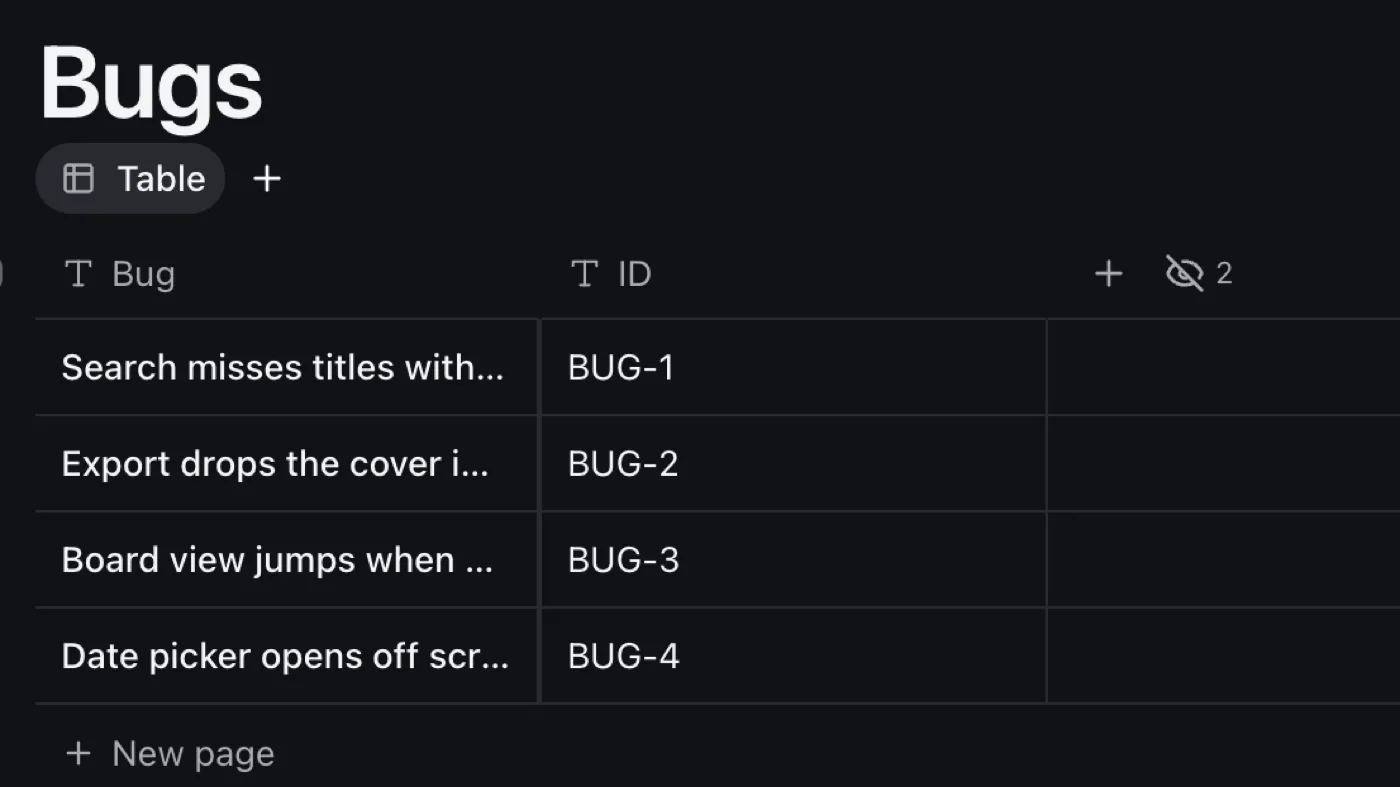
A Bugs table where each new row has an ID: BUG-1, BUG-2, BUG-3.

Gives every new bug an ID, like BUG-12, so people can talk about it.

What it does

When a row is added, it looks at the highest ID there and writes the next one in the ID column. Nothing to press.

How to use it

  1. Add it with A new “Bugs” database ticked, or to a database of yours that has a text column called ID.
  2. Add a bug. Its ID appears a moment later.

Good to know

  • IDs follow the highest one there, so a deleted bug's ID isn't given again unless it was the last.
  • It writes only the ID, and only in the databases you give it.
Its code8 lines, exactly as Kit runs it · fingerprint 181cc8cba4d0
// The ID property must exist (a text property called ID).
plugin.onChange = (event) => {
  const taken = kit
    .rows(event.row.database)
    .map((row) => Number(String(row.values.ID || '').replace(/^\D+-/, '')) || 0);
  kit.update(event.row.id, { ID: 'BUG-' + (Math.max(0, ...taken) + 1) });
};

Versions

  1. 1.0.0Listed nowNov 19, 2026